WTF: SOB ProTools....

baimun

Funkasaurus Rex
I'm trying to mix down some audio for my daughter.

I'm going along just fine.... I'm 8 tracks and 33 minutes into the music...

...but now all the audio playback is garbled.


It's not the files (or even a master mixdown). If I listen to the individual files or the file I got when I summed it down to a master track, those sound just fine.

I've rebooted, unplugged and replugged the Mbox mini... when I got it to clear up it was only of the first or second playback... then it goes right back to this bit-filtered, lo-fi sound.

IT'S SO FUCKING AGGRIVATING!!! I need to have this damn track finished by Saturday and I can't fucking work like this!!!

Of course my old Sony Acid won't install on my Windows 8 machine. Fuck.
 
Well, you're using Windows 8 and ProTools.

I've just put ProTools SE on my Win 7 Laptop and once I unfucked th"Compatibilty settings" its working just fine. Can you run the computer in a Win 7 mode of some sort? What version of PT are you on? I've been rolling with PT 8 for both Windows and Mac. I don't dare upgrade anything.
 
Version 10.3.4

My Win 8 machine is all up to date with 3.4 gihz i5 cpu, 10 gig of ram, SSD hard drive for OS and a 1TB drive for data (and I've tried it with the files in both places.

When I look online, I see all kinds of things listed with the fucking Mbox on any platform... Mac included. Some people unplug the mbox and plug it back in, but it's just a big pain in the ass. I have an old Mbox and the new one and I've had more problems with the new one (with the new version of protools that's compatible with Windows 8) than I ever had with the old box on Win 7.... but the old box doesn't work with the new version of Protools. Fuckers.
 
Change your audio device configuration setting (ASIO?) from less latency to more stability (or visa versa, doesn't matter). Apply the new settings. Back out, reconfigure back to where you want it, apply the settings again, and you should be golden.

Also, are your interface drivers current?
 
I have to disable wifi when I'm using PT9 or the sound goes to hell. Maybe try that?

Sent from The Restaurant at the End of the Universe.
 
Version 10.3.4

My Win 8 machine is all up to date with 3.4 gihz i5 cpu, 10 gig of ram, SSD hard drive for OS and a 1TB drive for data (and I've tried it with the files in both places.

When I look online, I see all kinds of things listed with the fucking Mbox on any platform... Mac included. Some people unplug the mbox and plug it back in, but it's just a big pain in the ass. I have an old Mbox and the new one and I've had more problems with the new one (with the new version of protools that's compatible with Windows 8) than I ever had with the old box on Win 7.... but the old box doesn't work with the new version of Protools. Fuckers.

Things like this is exactly why I refuse to go Pro Tools. Avid can fuck themselves.
 
This morning I fired it up and edited the last half hour of the track with no problems. I left while it was doing the bounce down.


Speaking of.... all of my other software packages I could export or mix down without having to listen to the entire thing, and it would take less time than the actual track length. It was all done in the software. I don't see this option in protools.... it's like it's playing back your mix and recording it at the same time when you mixdown.

Am I missing something here?
 
This morning I fired it up and edited the last half hour of the track with no problems. I left while it was doing the bounce down.


Speaking of.... all of my other software packages I could export or mix down without having to listen to the entire thing, and it would take less time than the actual track length. It was all done in the software. I don't see this option in protools.... it's like it's playing back your mix and recording it at the same time when you mixdown.

Am I missing something here?
Thats how it works in Protools, although you might not have to do that in the most recent version...not sure.
 
I have to listen to the track on PT9 while I'm bouncing. Doesn't make much sense since you can't actually mix anything during bounce.
 
Not a big deal with a 3 minute track, but last night I was mixing an hour of uninterrupted music. :embarrassed:
 
The new version 11 finally added offline bouncing, so you don't have to listen in real time while about. Version 10 or earlier doesn't do that, unfortunately.

Pro Tools is a resource hog. The more plugins you have running, the more likely you're going to hits a wall where the audio gets garbled. I've run it on multiple interfaces, and I found that some fare better than others. My M-Box sucked, my Tascam is better, and my AxeFX II (which only has being an interface added as an afterthought) works perfect without any glitching. Go figure. I've found that if you go into the settings for your interface and adjust the buffer size, it will clear up the audio playback problem. You usually have to reload the session, but not Pro Tools.

Version 11 has revamped their plugin format to AAX only, which is much less resource intensive, and it also intelligently shuts off plugins when there's no audio on a track to be processed, saving even more CPU power.
 
The new version 11 finally added offline bouncing, so you don't have to listen in real time while about. Version 10 or earlier doesn't do that, unfortunately.

Pro Tools is a resource hog. The more plugins you have running, the more likely you're going to hits a wall where the audio gets garbled. I've run it on multiple interfaces, and I found that some fare better than others. My M-Box sucked, my Tascam is better, and my AxeFX II (which only has being an interface added as an afterthought) works perfect without any glitching. Go figure. I've found that if you go into the settings for your interface and adjust the buffer size, it will clear up the audio playback problem. You usually have to reload the session, but not Pro Tools.

Version 11 has revamped their plugin format to AAX only, which is much less resource intensive, and it also intelligently shuts off plugins when there's no audio on a track to be processed, saving even more CPU power.

Have to admit I found it quite weird how the de facto industry standard software is just so slow at adding features other softwares have done for years, not to mention being so finicky about what gear you use with it, as well as finding some of the routing stuff in it a bit weird. On the occasions I've tried PT over the years, I found it made work more cumbersome and the software actually slowed the process down. By now I've grown to absolutely love the object oriented editing in Samplitude, so I couldn't make the switch right now either way though (and to be honest there really isn't anything tempting enough for me to make the switch these days).

Have to wonder how many PT users there are out there out of necessity (as "everyone" else is using it) rather than preference.
 
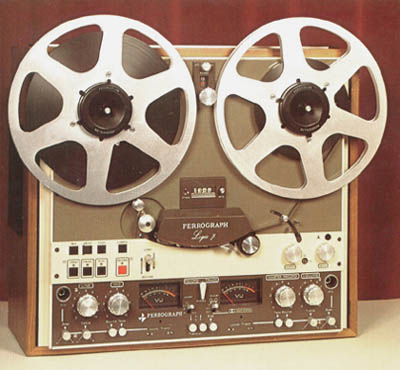
Here's what I recommend:

ferrograph.jpg
 
Btw, aside from the typical ASIO and interface driver issues already mentioned, the HDD can cause that audio jumbling as well. I found that out the hard way after trying to record to an external 3GB HDD via USB 3.0

Despite having a blazingly fast machine, and a ton of RAM, the new drive was too fast for the DAW to keep up with.

Sent from my Transformer TF101 using Tapatalk 4
 
Having just watched the latest Pensado episode (which is pretty much an hour long PT sales pitch), I'm having to go on a bit of a rant. I know they're sponsors of the show, but still...

How bloody arrogant are these Avid guys? :mad:

One thing is finally adding features that other DAW softwares have had for several years, but talking about those features like they bloody invented them is borderline offensive. Offline bounce? Yeah, I was using that with N-Track almost 15 years ago. Dual audio engine (as in separate record/playback buffering)? Been using that with Samplitude since 2007. And that's just a couple of examples.

Really irks me when they come out trying to appear groundbreaking/ahead of the times when actually being several years behind everyone else. The nerve of these guys. :facepalm:

It's a good piece of software of course (although a bit archaic), but that was fucking cringeworthy.
If nothing else I know now I'll never be buying a copy of that software.
 
Back
Top